🛠️ Admin Panel
Changes you make here are saved online to Supabase and are visible to everyone.
💾 Backup
Download a full JSON backup of all website data stored online (classes, students, subjects, gallery, calendar, downloads, and more).
🖼️ Site Logo
🏠 Landing / Hero Text
Edit the heading and description shown on the class selection page. Changes save instantly.
➕ Classes
Each class has its own Date label shown under its button on the landing page.
📝 Class Page Content
Select a class, then edit its page with professional formatting tools. Changes save instantly.
👥 Students — “Who We Are” (50 rows)
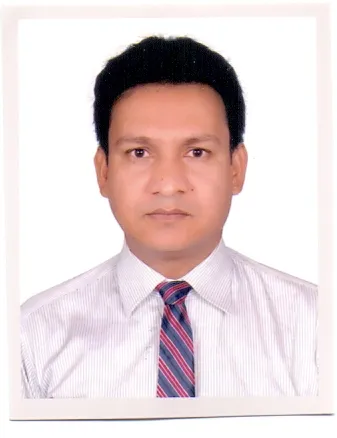
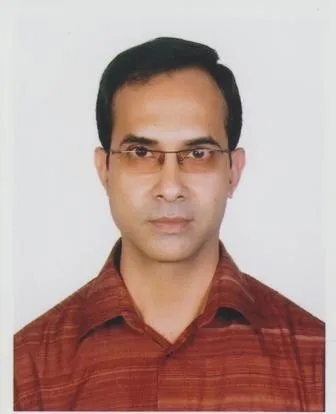
Each student row has roll, name, photo, mobile, home district, working place, blood group, and Facebook. Roll is admin-only on the public page. Fill a row and click Save; up to 50 students.
| # | Roll | Name | Photo | Mobile | Home District | Working Place | Blood Group | Facebook ID link | Actions |
|---|
📷 Our Gallery
Upload photos for the “Our Gallery” section. They appear in a grid with lightbox viewing.
📥 Downloads
Upload documents (PDF, DOC, DOCX, PPT, PPTX, images, etc.) or add a web link. Max 5 MB per file.
Or add a web link
📌 Notice Board
Post a notice (text, image and/or PDF) shown at the top of the left sidebar. Changes are saved online.
📢 Breaking News (Ticker)
Scrolling text under the header.
📅 Tutorial, Exam & Assignment Calendar
Add, edit or delete calendar events.
All saved events
📚 Subjects (All Documents)
Rename subjects, manage Study Materials notes, Assignment passwords, and Previous Questions content. Document uploads for materials are done on the Study Materials page. Assignment submissions are uploaded by students on the Assignment page.
🚀 Developed By
Set the developer’s photo, name, role and details shown in the box on the left side of the landing page. Changes are saved online.
PMCSE 22nd Batch
Dept. of CSE, Islamic University, Kustia- Jhenaidah
📚 1st Semester
Click a class card to open its content page.
Tutorials, Assignments, Exams
Access the calendar or all documents by semester.
All Documents
Choose a subject to browse study materials, assignments and previous questions.
Subject
Select a section below
Section
Content
Assignment 1
Add Your Assignment
Enter your roll number and upload your file (PDF, DOC, PPT, etc. — max 5 MB).
Submitted Assignments
Password required to download all files as a ZIP named after this assignment.
Tutorial, Exam & Assignment Calendar
Click any day to see full event details
August 2026
Events
Admin: add an event for this date.
Who We Are?
Meet the students of PMCSE 22nd Batch.
Our Gallery
Moments and memories of PMCSE 22nd Batch.
📥 Downloads
One-click download for documents, slides, PDFs and more.